
Flow
Steps
Reset
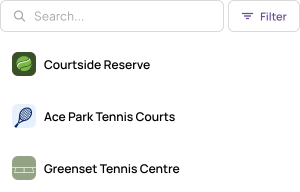
Show action near item collection
Place above or beside the collection it affects, using a recognizable icons and/or label.
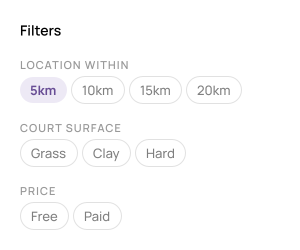
Show available filter options
When the action is triggered, filter options can either be shown on the same page for immediate feedback, or on another page. This should be dependent on the amount of filtering that is possible, and whether you think the user is likelier to tweak filters ongoing, or apply several and then view results.
It's also worthwhile considering a filtering priority order, with the most common options filtered sitting at the front.
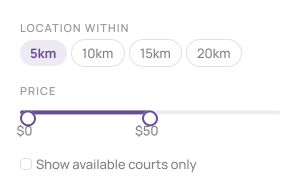
Consider different filter types
The standard filter is a multi-select option picker. But certain properties can benefit from a different way of managing the filtering.
There's sliders, checkboxes, dropdowns and others to consider. Each property should be considered, asking yourself what feels like the easiest way to change this value.
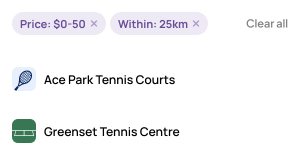
Show active filters clearly when applied
On the item collection page, display which filters are currently applied. You can also choose to have a high level active state applied to the filter action to imply it is in use, if you find showing all applied filters is too cluttered.
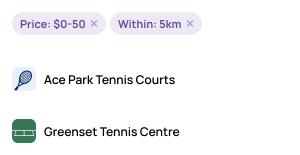
Provide easy filter removal
Let users clear individual filters or all filters at once to allow easier refining of their results.
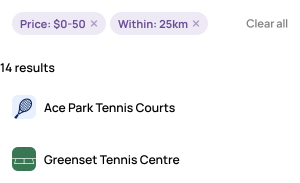
Show result count
Not a must have, but this can be handy where it is meaningful for users to see what the total results value has reduced to. It will help users feel if their result is too narrow or broad, directing them to either add or remove filters.
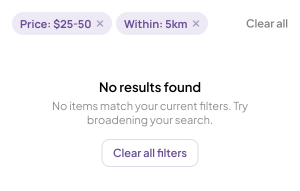
Empty state
It's possible that a combination of filters can product no results. Explain this clearly and suggest adjusting or clearing filters to see results.
BETA
Less debating, more deciding.
Quorum is a design voting platform that gives you immediate, quantified feedback to iterate with confidence.